
Client experience
No login, no phone call, no back-and-forth
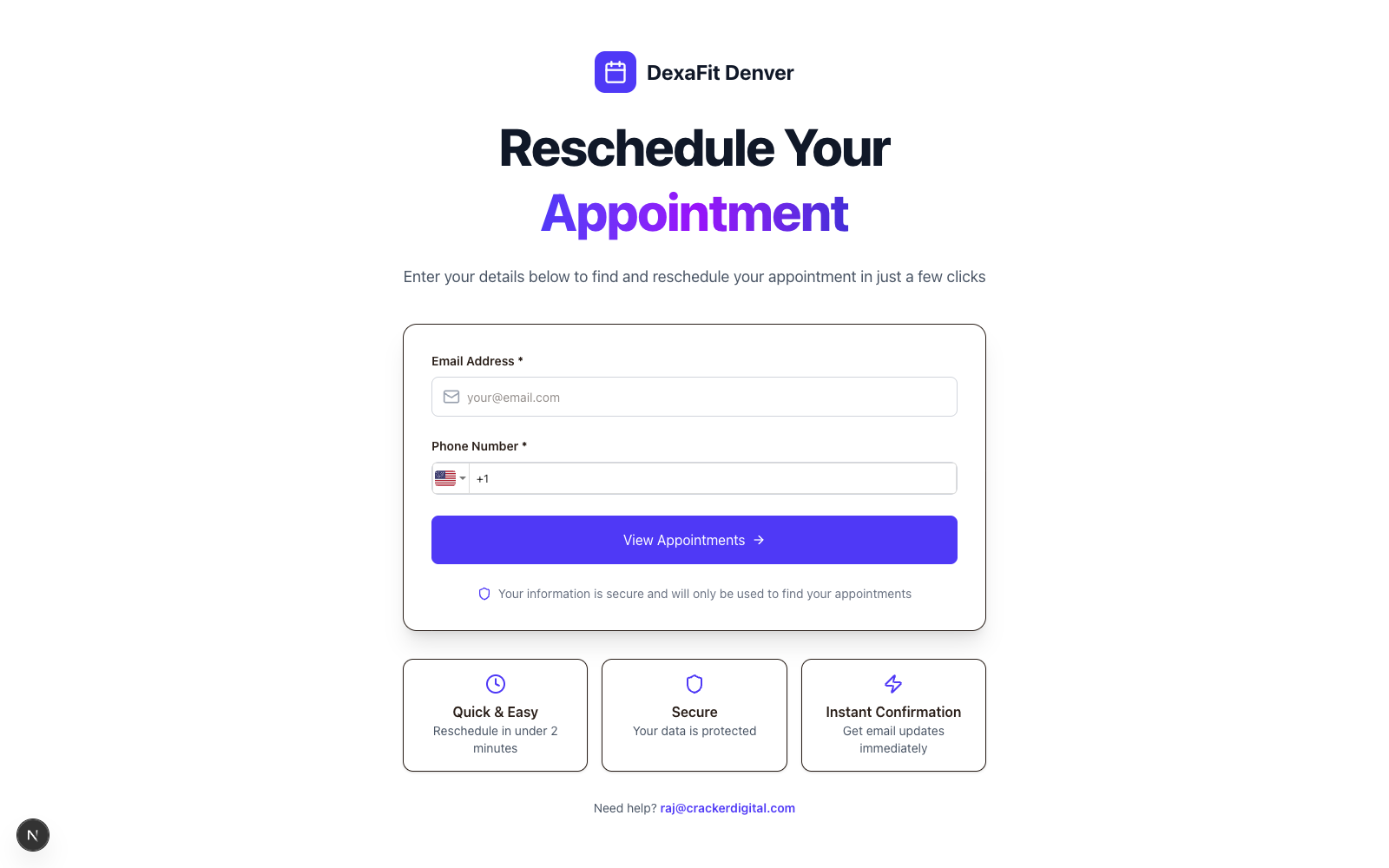
This is the page your clients actually see. No account, no password — just an email and phone number to find their booking, then a live list of open slots. If your reschedule policy includes a fee, it's charged automatically through Square or Stripe, and shows up in Overview the same day.
Details
What you get
No account required
Clients confirm their email and phone number — nothing to sign up for, nothing to remember.
Live availability
Slots shown are pulled live from Acuity, so there's never a double-booking or a stale calendar.
Automatic fee collection
If your policy charges a reschedule fee, it's collected the moment the new slot is confirmed.
Instant confirmation
An email confirmation goes out immediately, and the change reflects in your dashboard right away.
FAQ
Common questions
Can clients reschedule Acuity appointments without logging in?
Yes — with Tecton Scheduler, clients open your public reschedule link, verify with their email and phone number, and pick a new slot from live Acuity Scheduling availability. There's no account to create and no password to remember, which means far fewer phone calls and back-and-forth emails for your front desk.
How does the reschedule fee get collected?
If your policy includes a reschedule fee, it's charged through Square or Stripe the moment the client confirms their new slot. That matters because Acuity itself can't auto-charge reschedule fees — natively, your only option is manually charging a stored card. With Tecton, the fee is collected automatically and shows up in your dashboard.
Will the reschedule page double-book my calendar?
No — the slots shown to clients are pulled live from Acuity Scheduling, so they only ever see genuinely open times. When a client confirms, the change lands on your real Acuity calendar, a confirmation email goes out immediately, and the update is reflected in your Tecton dashboard right away.
Stop trading calls for calendar changes
Connect Acuity, set your reschedule rules, and let clients handle the rest — while you watch the numbers move.