
Overview
Your Acuity business performance at a glance
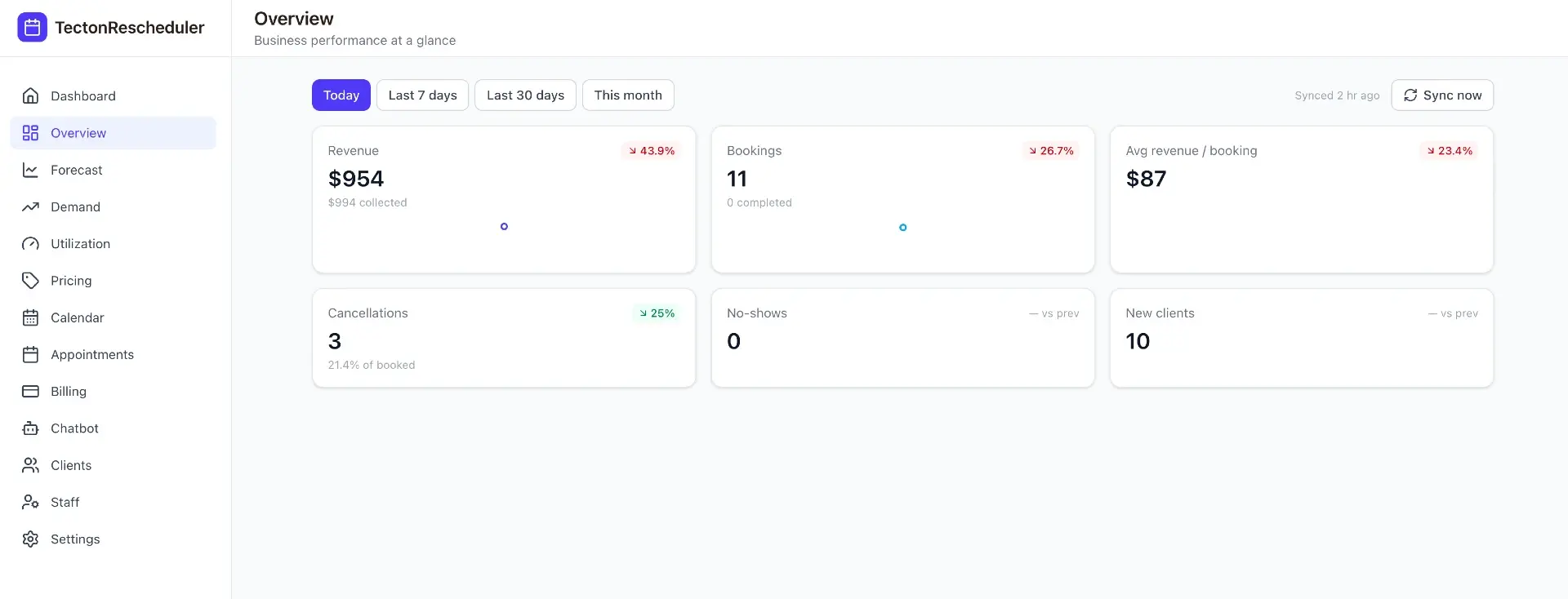
Overview is the first thing you see after a sync: the headline numbers for today, last 7 days, last 30 days, or the current month. Every card compares against the prior period automatically, so a 48% revenue jump or an 8.9% drop in cancellations is never just a number in isolation.
Details
What you get
Date-range comparisons
Today, last 7 days, last 30 days or this month — every metric shows percentage change against the prior equivalent period.
Revenue and collected, side by side
See total revenue booked alongside what's actually been collected, so you know where the gap is.
One-click sync
Pull the latest appointments from Acuity on demand, or let it run on your configured schedule.
Trend sparklines
Revenue and bookings each carry a rolling sparkline, so a one-off spike is easy to tell apart from a real trend.
FAQ
Common questions
Does Acuity Scheduling have a revenue dashboard?
Acuity has a basic revenue report, but it excludes cancelled and no-show appointments, so it understates what those cost you. Tecton Scheduler syncs your Acuity data and shows revenue, collected payments, cancellations, no-shows and new clients side by side, each compared against the prior period, so you see the full financial picture in one place.
Can Acuity Scheduling show my no-show rate?
Not directly — Acuity has no no-show-rate report, and its revenue report leaves cancelled and no-show appointments out entirely. Tecton Scheduler tracks no-shows and cancellations as first-class metrics, with trends and period-over-period comparisons, so you can see whether the problem is growing and what it is actually costing the business.
How do I get analytics from my Acuity Scheduling account?
Connect Tecton Scheduler to Acuity — setup takes about 15 minutes, credentials are stored encrypted, and there's a free trial. Once connected, appointments sync on demand or on a schedule, and the Overview dashboard shows revenue, bookings, average ticket, cancellations, no-shows and new clients for any date range you pick.
Is my Acuity data safe with Tecton Scheduler?
Yes — Tecton connects to Acuity using credentials that are encrypted at rest, and only reads what it needs to build your dashboards. Setup takes about 15 minutes and starts with a free trial, so you can see your own numbers on the dashboard before committing to anything.
Stop trading calls for calendar changes
Connect Acuity, set your reschedule rules, and let clients handle the rest — while you watch the numbers move.