
Notifications
A single feed for every reschedule, fee and failed charge
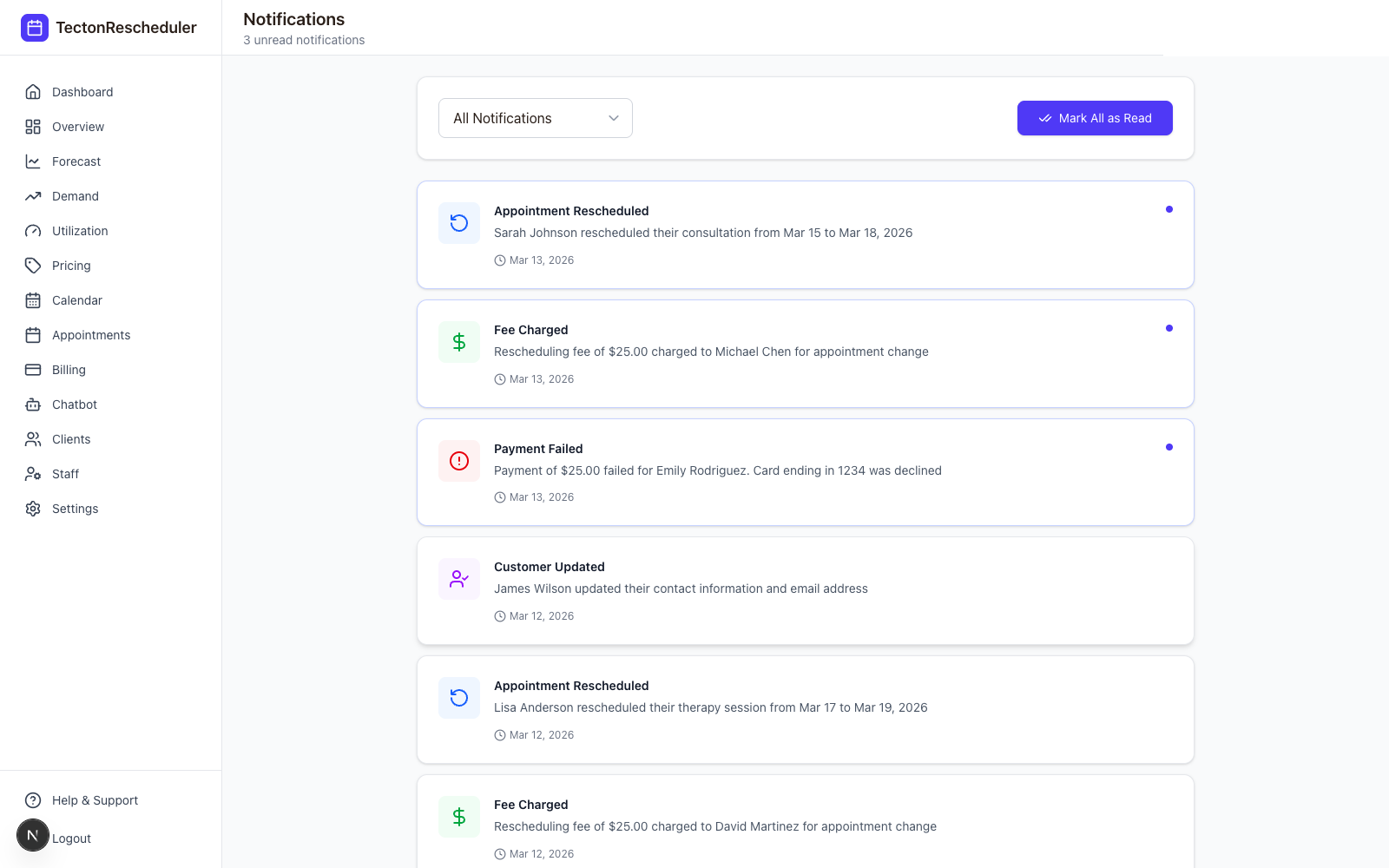
Instead of digging through Acuity and Square separately, every event that touches a client's appointment or payment lands in one feed: reschedules, fees charged, failed cards, and profile updates — each marked read or unread.
Details
What you get
Reschedules, fees & failures in one place
No more cross-referencing Acuity and Square separately to understand what happened on an appointment.
Read-tracked
Unread count shows in the sidebar; mark everything read in one click once you've caught up.
Filterable by type
Narrow the feed to just payments, just reschedules, or just client updates when you're troubleshooting one thing.
Failed payments surface immediately
A declined card shows up here the same place as everything else — no separate dashboard to remember to check.
FAQ
Common questions
Does Acuity Scheduling have an activity feed?
Acuity doesn't combine appointment changes and payment events into one feed — you'd normally check your scheduler and your payment provider separately. Tecton Scheduler syncs both sides and merges them: reschedules, collected fees, declined cards and client profile updates all land in one filterable, read-tracked feed.
How do I track failed payments for Acuity appointments?
Declined cards surface in Tecton Scheduler's notifications feed the moment they happen, alongside reschedules, collected fees and client updates from your Acuity Scheduling account. There's no separate payments dashboard to remember to check — a failed charge shows up in the same feed as everything else, marked unread until you've seen it.
Can I see every reschedule in one place?
Yes. Every reschedule synced from Acuity Scheduling lands in the notifications feed alongside fees charged and payment events, each tracked read or unread. You can filter to just reschedules, just payments, or just client updates when you're troubleshooting a single question, and mark everything read in one click once you've caught up.
Stop trading calls for calendar changes
Connect Acuity, set your reschedule rules, and let clients handle the rest — while you watch the numbers move.