
How to Run Multiple Locations or Businesses on Acuity Scheduling
TL;DR
- Acuity's official answer: one account per business. Multiple locations of the same business can be separate calendars inside one account — but they share that account's branding and settings.
- Neither setup reports across the whole operation. There's no cross-account dashboard, no per-location comparison, and no no-show or cancellation analytics even within a single account.
- Acuity offers a sales-led Enterprise tier aimed at large multi-calendar organizations — contact Acuity for its scope. Most multi-location operators and agencies sit well below that scale.
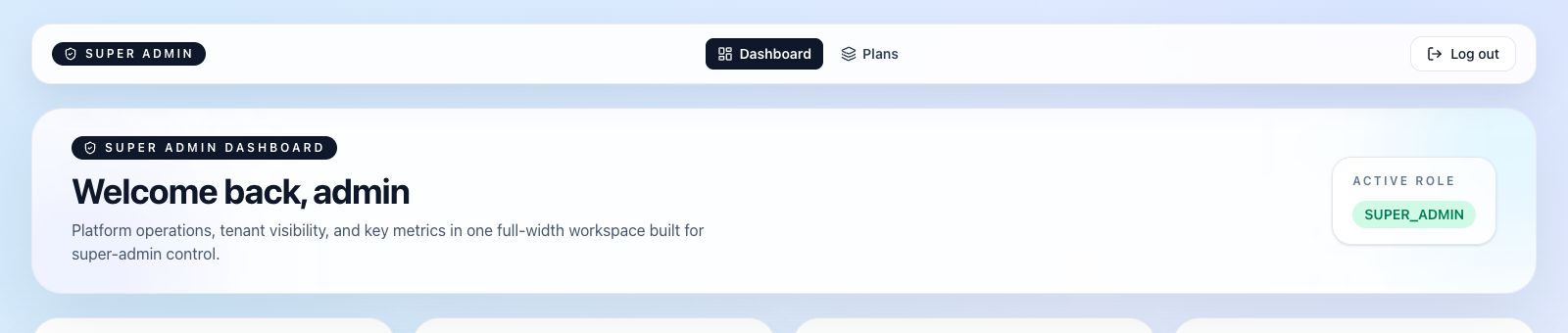
- Tecton Scheduler's super-admin console manages every Acuity account as an isolated tenant: one login, per-tenant settings and feature flags, cross-location analytics, and a full audit trail.
Acuity Scheduling (formerly Squarespace Scheduling) supports multiple locations of one business as separate calendars in a single account, and multiple distinct businesses as separate accounts entirely — that's the official answer. Neither gives you one login, per-location comparison, or combined reporting. This guide covers how each setup works, where it breaks, and how to manage everything from one console.
Whether you're a studio opening a second site, an owner running two brands, or an agency holding the keys to a dozen client accounts, the underlying problem is the same: Acuity was designed around one business per account, and everything above that layer is left to you.
Can you run multiple locations on one Acuity Scheduling account?
Yes — if the locations belong to the same business. The standard pattern is one Acuity account with a separate calendar per location (or per staff member per location), each with its own hours and availability. Clients pick the right calendar when they book, and everything lives under one login.
The catch is that almost everything else in Acuity is account-level. Branding, the scheduling page's look and feel, policy text, and payment configuration apply to the whole account — your downtown studio and your suburban one present the same face and follow the same rules. For a genuinely uniform business, that's fine. The moment locations need different branding, different policies, or different payment accounts, calendars stop being enough.
Calendar caps vary by plan
Each Acuity plan tier allows a set number of calendars — check your plan's limit before you start modeling locations, staff, and rooms as calendars. Multi-location setups burn through calendar allowances faster than you'd expect.
Reporting is the other ceiling. Acuity's built-in reports were designed for a single business: there's no per-location comparison view, no no-show-rate report, and no cancellation analytics at all — and the revenue report excludes cancelled and no-show appointments, so location-level money questions end up answered in spreadsheets, if they get answered at all.
How does Acuity handle multiple businesses? The official answer
For distinct businesses — different brands, different client bases, different payment accounts — Acuity's official recommendation is simple: one account per business. Each account is a clean silo with its own login, its own scheduling pages, its own client list, and its own settings.
As an isolation model, that's correct. Businesses genuinely shouldn't share a client database or a payment connection. The problem is everything above the scheduling layer: you now have two (or ten) of everything — logins, settings screens, confirmation email templates, reports — and no single view that spans them.
At the top end, Acuity offers an Enterprise tier: sales-led, custom-scoped, and aimed at large multi-calendar organizations — contact Acuity for its scope. If you're a franchise at that scale, it's worth the sales conversation. If you're running three locations or a dozen agency clients, you're in the awkward middle — too big for one account to feel manageable, far too small for Enterprise — and this middle band, more than one location but fewer than enterprise-scale calendars, is exactly where the friction concentrates.
Where separate Acuity accounts break down day to day
Separate accounts solve isolation and create an operations problem. The failure modes are predictable:
- Credential juggling. Every account is a separate login. Browsers fight multiple simultaneous sessions, so teams fall back to a shared password spreadsheet — a security incident waiting on its first ex-employee.
- No cross-account reporting. “Which location had the worst no-show rate last month?” has no answer inside Acuity. Each account only knows about itself, and none of them tracks no-show rate to begin with.
- No per-location comparison. Even basic questions — busiest hours by location, average ticket by location, which site fills fastest — require exporting from every account and merging by hand, every time.
- Compounding report drift. Acuity's revenue report excludes cancelled and no-show appointments and can drift from Stripe or Square totals when refunds occur. One account's drift is an annoyance; five accounts' drift is a monthly bookkeeping project.
- Settings sprawl. A policy change — a new cancellation window, updated reminder wording — has to be repeated in every account, and nothing records who changed what, where, or when.
None of these stop bookings from happening. What they stop is management: the operator's ability to see the whole business, compare its parts, and change things safely.
How do agencies manage multiple client Acuity accounts?
Agencies and multi-brand operators inherit every problem above, plus a trust dimension: those aren't your accounts, they're your clients'. The standard workaround — each client hands over their Acuity password, the agency keeps them all in a doc — fails every basic security test:
- Onboarding and offboarding. Every staffing change at the agency should mean rotating passwords across every client account. In practice, nobody rotates anything.
- No health overview. The only way to know a client's booking flow is broken — or their client's card was declined — is to log into that account and go looking, client by client.
- No accountability. With shared logins, every action looks identical. When a client asks who changed their availability last Tuesday, there is no answer.
Shared logins are the quiet liability
A single shared password document grants every past and present staffer full access to every client's customer list and payment configuration. If you manage even two client accounts this way, fixing it should outrank every feature request on your list.
Which Acuity setup fits your scenario? A decision table
| Scenario | Acuity setup | What breaks | The fix |
|---|---|---|---|
| One business, 2–5 locations, same brand | One account, one calendar per location | No per-location comparison; account-level branding and policies apply everywhere | Layer cross-location analytics on top |
| One business, locations with different branding or policies | Separate accounts | Credential juggling; numbers live in silos | One console with per-tenant settings |
| Two or more distinct businesses | Separate accounts (Acuity's official answer) | No combined reporting; two of everything to maintain | Multi-tenant super-admin console |
| Agency managing client accounts | One account per client | Shared passwords, no health overview, no accountability | Per-tenant isolation, audit trail, billing monitoring |
| Franchise or network at enterprise scale | Acuity Enterprise (sales-led) | Reporting is still Acuity's built-ins, per account | Enterprise for scheduling scale, a management layer for visibility |
The pattern in every row: Acuity answers the scheduling question at each scale, and leaves the management question — one login, comparison, oversight — unanswered. That's the layer to buy or build, not a reason to migrate off Acuity.
How to run every location or client from one console
Tecton Scheduler doesn't replace Acuity — it layers a management plane on top of the accounts you already run. Each location or client connects as an isolated tenant, and you operate all of them from one place:
- Connect each Acuity account as its own tenant. Every location or client keeps its own Acuity account, branding, and policies. Tecton syncs appointments and services from each account on demand or on a schedule, with credentials encrypted at rest — no shared password doc.
- Configure each tenant independently. The reschedule window, optional reschedule fee, and public branded reschedule link are set per business in Settings — one client can charge a fee inside 24 hours while another charges nothing.
- Run the fleet from the super-admin console. Usage, plans, and per-tenant feature flags live in one screen, and billing issues surface in the console instead of in an angry client email.
- Compare locations with real analytics. Revenue booked vs. collected, bookings, cancellations, no-shows, and new clients per tenant with prior-period comparisons — plus a demand heatmap by day and hour that shows which location fills which hours.
- Keep an audit trail. Every change is recorded: who touched which tenant, and when. That's the accountability shared Acuity logins can never provide.
The scheduling layer stays exactly where it is — each business keeps its own Acuity account, booking pages, and client relationships. What changes is that the operator finally has one place to stand. For a deeper look at the per-location metrics this unlocks, see our guide to building an analytics dashboard for Acuity Scheduling.
Start with the messiest tenant
Pricing is custom to booking volume across Starter, Growth, and Scale plans, every plan includes a free trial, plans are month-to-month, and setup takes about 15 minutes. Trial it on your most chaotic location or client first — if the console earns its keep there, roll out the rest.
Put this on autopilot
Tecton Scheduler does this for your Acuity account
Self-serve reschedule links with automatic fees via Square or Stripe, plus revenue, no-show, and demand analytics — synced straight from Acuity Scheduling. Live in about 15 minutes.
Frequently asked questions
Can I run multiple businesses under one Acuity Scheduling account?
Not practically. An Acuity account carries one set of branding and account-wide settings, so Acuity's official recommendation is a separate account per business. Multiple locations of the same business can live as separate calendars inside one account, but they share that account-level branding and configuration.
Does Acuity Scheduling have a multi-location dashboard or cross-account reporting?
No. Each Acuity account reports only on itself, and even within one account the built-in reports have no no-show-rate or cancellation analytics and no per-location comparison view. To compare locations you either export and merge spreadsheets by hand or layer an analytics tool such as Tecton Scheduler on top of each account.
What is Acuity Enterprise and do I need it?
Acuity's Enterprise tier is a sales-led plan aimed at large multi-calendar organizations — contact Acuity for its scope. If you operate two to a few dozen locations or client accounts, you're likely below its target scale — most operators in that band stay on standard plans and solve the management problem with tooling layered on top.
How do agencies manage multiple client Acuity accounts without sharing passwords?
The common workaround is a shared password document, which is a security and offboarding liability. A multi-tenant layer like Tecton Scheduler connects each client's Acuity account as an isolated tenant with credentials encrypted at rest, so account managers work from one console with a full audit trail instead of logging into client accounts directly.
Does Tecton Scheduler replace Acuity for multi-location businesses?
No. Each location or client keeps its existing Acuity account for booking, calendars, and availability. Tecton layers on top: it syncs appointments and services from each account, adds self-serve rescheduling with optional fees, per-tenant analytics, and a super-admin console for managing every tenant. Setup takes about 15 minutes, and every plan includes a free trial.
Keep reading
Acuity Scheduling Analytics: 4 Ways to Build a Dashboard
Acuity's built-in reports stop at booked revenue and appointment counts. This guide compares the four real ways to get an analytics dashboard — built-in reports, CSV exports, Looker Studio connectors, and a purpose-built tool — by cost, effort, and the KPIs you actually get.
Read guideAcuity Scheduling Reports Explained — and 7 Things They Miss
Acuity Scheduling's built-in reporting covers appointment counts, booked revenue, and CSV export — and misses no-show rates, cancellation analytics, forecasting, demand patterns, and promotion measurement. This pillar guide breaks down all seven gaps and the spreadsheet-versus-dashboard way to fill each one.
Read guideWhy Your Acuity Revenue Report Doesn't Match Stripe or Square
Acuity's revenue report excludes cancelled and no-show appointments, skips anything manually marked paid, and drifts when refunds hit Stripe or Square. This guide breaks down every source of mismatch and gives you a monthly reconciliation routine that actually balances.
Read guideHow to Track Your No-Show Rate in Acuity Scheduling
Acuity Scheduling can mark appointments as no-shows, but it never counts them or calculates a rate. This guide covers the marking discipline, the export-and-spreadsheet method with the exact formula, typical rates by industry, and how to automate tracking.
Read guide